
Safe and Easy Websharing with Snapveil: The Smarter Way to Collect and Protect Event Photos
Collecting photos from weddings, parties, corporate events, or family gatherings used to be a frustrating mess. WhatsApp groups explode with hundreds of images. Cloud albums mix personal and event photos. Guests hesitate to download yet another app. Privacy concerns linger every time photos leave the group chat. And in the end, many of the best moments simply disappear.
Snapveil solves this with a modern, browser-based approach to safe and easy websharing. It lets hosts create private event photo galleries, share a single QR code, and collect high-quality photos from every guest—without apps, without public social feeds, and without sacrificing control or privacy.
In this guide, we explore why traditional photo sharing fails, how Snapveil makes websharing both secure and effortless, the key features that set it apart, real-world use cases, and practical steps to get started. Whether you’re planning a wedding, a company event, or a birthday celebration, you’ll see why private, QR-powered galleries are becoming the preferred solution for modern events.
The Problem with Traditional Photo Sharing
Most people still rely on a handful of familiar methods:
- Messaging apps (WhatsApp, Signal, iMessage)
- Shared cloud albums (Google Photos, iCloud Shared Albums)
- Social media groups or event pages
- Dedicated event apps that require downloads
Each of these approaches creates friction or risk.
Messaging apps quickly become chaotic. Photos arrive out of order, compressed, and mixed with unrelated conversation. Finding a specific moment later is painful. Storage limits and group size restrictions add further headaches.
Cloud albums often pull photos into personal libraries, creating privacy and organization issues. Guests may feel uncomfortable uploading personal camera-roll content into a shared space that feels semi-public. Some services also use photos for product improvement or advertising in ways users don’t fully control.
App-based solutions introduce the biggest barrier: downloads. Many guests simply refuse to install another app for a single event. The result is incomplete galleries and lost memories.
Public or semi-public platforms raise additional concerns. Photos of children, private venues, or professional settings can end up searchable or accessible beyond the intended circle. Even “private” groups can leak through screenshots, link sharing, or account compromises.
Safe and easy websharing requires a different model: one that prioritizes privacy by design, removes friction for guests, and gives hosts real control over the collection process.
What Is Snapveil?
Snapveil is a private event photo gallery platform built specifically for collecting, organizing, and sharing guest photos. Hosts create a dedicated gallery for their event, generate a unique QR code, and invite guests to contribute. Guests scan the code with their phone camera and upload photos directly in the browser—no app installation required.
Key principles behind Snapveil include:
- Privacy first — Photos stay private. No ads, no third-party access for training or advertising.
- Zero friction for guests — Works on any smartphone via the browser.
- Host control — Flexible permissions, collaborative management, and organized albums.
- AI assistance — Smart tags and location data help find moments quickly.
- Quality and flexibility — Download options from SD to original quality.
- Transparent pricing — Pay per event rather than ongoing subscriptions.
The platform runs on EU servers with a strong emphasis on data protection, making it particularly suitable for users who care about GDPR compliance and data residency.
How Snapveil Delivers Safe Websharing
Safety in photo sharing has several dimensions: who can access the photos, how long they remain available, whether they are used for other purposes, and how easy it is for unauthorized people to view or download them.
Snapveil addresses these points directly:
Private by default
Galleries are not public. Access is controlled through the event QR code and host-managed permissions. Photos do not appear in public feeds or get mixed into guests’ personal libraries the way some cloud services do.
No third-party data access
Unlike many free tools that monetize through data, Snapveil states that photos remain yours with no ads and no third-party access. This reduces the risk of unexpected secondary uses.
Browser-based, no app tracking
Because guests never install an app, there is no additional app-level tracking or permission requests beyond the browser’s standard camera and file access for uploads.
Host-controlled permissions
Hosts can grant individual guests admin or management rights when needed (useful for wedding parties or event teams) while keeping overall control. Unlimited guests are supported with flexible permission levels.
Defined storage periods
Free events remain available for a limited time (60 days / 2 months on the free tier). Paid options extend storage up to 12 months, with the possibility of further extension. This prevents indefinite lingering of sensitive photos on external servers without deliberate action.
Secure payments and infrastructure
Payments are handled through established providers such as Stripe. The focus on EU infrastructure supports stronger data protection standards for European users and anyone prioritizing data residency.
Together, these elements create a safer alternative to the typical mix of messaging apps and public cloud tools.
How Snapveil Makes Websharing Easy
Ease of use is just as important as security. If guests find the process complicated, participation drops and the gallery stays incomplete.
One QR code for everyone
Create the event, generate the QR code, print it on table cards, display it on a screen, or share the link digitally. Guests scan with their phone’s native camera and land directly in the upload interface. No accounts are required for basic participation in many cases, and no app download is needed.
Works on any modern smartphone
Because it runs in the browser, Snapveil supports iOS, Android, and other devices without platform-specific apps. This dramatically increases participation rates compared with app-only solutions.
Collaborative management
Hosts can invite trusted people (partner, best man/maid of honor, event coordinator) to help moderate or organize the gallery. Shared management reduces the burden on a single person during busy events.
AI-powered organization
Smart tags and location data help surface the best moments quickly. Instead of scrolling endlessly through hundreds of uploads, hosts and guests can search or browse by meaningful categories.
Custom albums and flexible exports
Organize photos into albums that match the flow of the event (ceremony, reception, speeches, dancing). Download in the quality that suits the purpose—quick social shares in lower resolution or full-quality files for printing and archiving.
Lightning-fast performance
The platform is optimized for smooth browsing even when galleries contain thousands of photos, which is common at larger weddings or multi-day events.
Real-World Use Cases
Weddings
Weddings generate the highest volume of guest photos and the strongest desire for privacy. Snapveil lets couples collect candid moments from every table without chasing people afterward or creating sprawling group chats. The QR code can be placed at the entrance, on tables, or in the wedding program.
Corporate events and conferences
Companies often need professional, controlled photo collections for internal use, marketing (with consent), or archival purposes. Private galleries keep images away from public social channels while still enabling easy contribution from attendees and staff.
Birthday parties, anniversaries, and family gatherings
Smaller events benefit from the same simplicity. One code replaces the usual “please send me your photos” messages that often go unanswered.
School events, team celebrations, and community gatherings
Organizers can collect memories while maintaining appropriate privacy boundaries, especially when children or sensitive environments are involved.
In all these cases, the combination of ease for contributors and control for organizers makes Snapveil a practical upgrade over ad-hoc methods.
Getting Started with Snapveil: A Simple Process
- Visit snapveil.com and create an account (or start the free option).
- Set up a new event gallery with a clear name and optional description.
- Generate the unique QR code and sharing link.
- Print or display the QR code at the event, and optionally share the link in advance with key guests.
- Guests scan and upload throughout the event (and afterward if desired).
- Use the dashboard to organize photos into albums, manage permissions, and moderate if needed.
- Download selected photos or the full set in the preferred quality once the event concludes.
- Extend storage if you want longer access.
The free tier (250 photos, 2 months storage, SD downloads) is ideal for testing or smaller gatherings. Larger events can upgrade for higher limits, longer retention, and original-quality downloads. Pricing is structured per event rather than as a recurring subscription, which keeps costs predictable.
Why Privacy Matters More Than Ever in 2026
Photo sharing has never been purely technical—it is social and personal. Guests share moments that include their children, partners, homes, workplaces, and unguarded expressions. Treating those images with care builds trust.
Platforms that mix event photos into personal libraries, train models on user content, or make galleries easy to overshare create long-term risks. A dedicated private gallery with clear boundaries reduces those risks while still delivering the joy of collective memory-keeping.
Snapveil’s design choices—browser-based access, no third-party access claims, EU infrastructure focus, and host-controlled permissions—align with growing expectations around data minimization and user control.
Frequently Asked Questions
Do guests need to install an app?
No. Everything works directly in the mobile browser after scanning the QR code.
Is my data secure?
Snapveil emphasizes privacy with no ads and no third-party access. Hosts retain control over the gallery, and infrastructure choices support strong data protection standards.
How long are photos stored?
Free events are available for a limited period (around 2 months). Paid options extend storage up to 12 months, with further extensions possible.
What is the best free wedding photo sharing option?
Snapveil’s free tier offers a practical starting point with 250 photos and QR-based collection. For larger weddings, upgrading provides more capacity and longer retention.
How do I create a wedding QR code for guest photos?
Create an event on Snapveil, generate the QR code from the dashboard, and place it where guests can easily scan it.
Can multiple people manage the gallery?
Yes. Hosts can grant management rights to selected guests for collaborative organization.
Conclusion: Websharing Done Right
Safe and easy websharing should not require trade-offs between convenience, completeness, and privacy. Traditional methods force exactly those compromises—chaotic group chats, incomplete collections, app friction, or uncertain data practices.
Snapveil removes the friction with a simple QR code, keeps photos private by design, adds useful AI organization, and gives hosts the controls they need. The result is fuller galleries, happier guests, and peace of mind for organizers.
If you are planning an event and want all the photos in one secure place without the usual headaches, try Snapveil. Start with the free option, generate your QR code, and experience how straightforward private event photo collection can be.
Visit snapveil.com to create your first gallery and see the difference for yourself. Your guests will thank you—and so will your future self when you look back at a complete, well-organized set of memories.
Related Articles
New Video Upload Feature for Snapveil Wedding Galleries (Free Update)
Collect wedding videos and clips from guests easily with Snapveil's new video sharing feature. Now included in all current plans at no extra cost.
Read article
Photo Booth Software for Weddings in 2026: Options and Costs
Rent, iPad app or DSLR rig? What photo booth software really costs for one wedding, where every booth falls short, and what to do about it.
Read article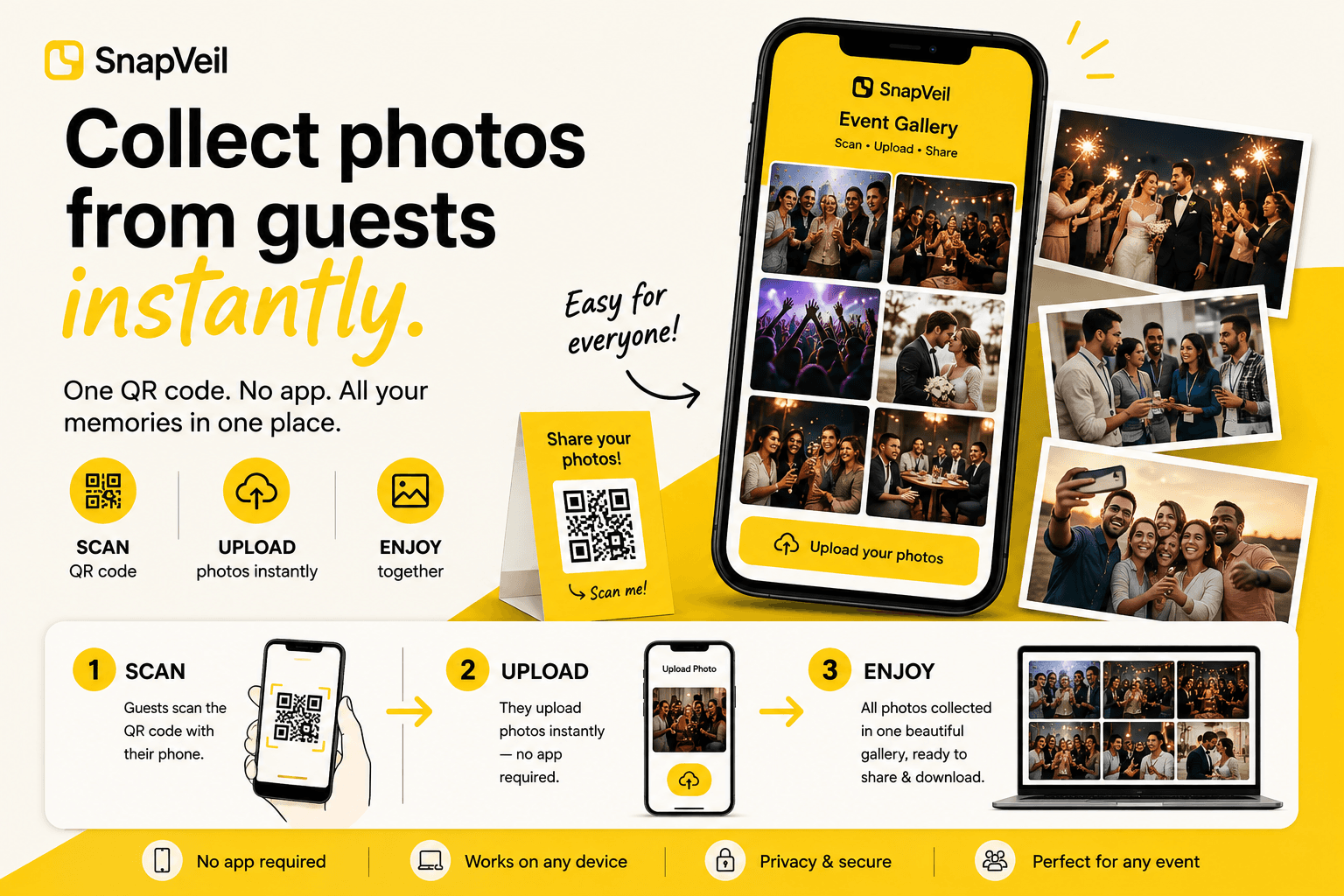
How to Set Up a QR Photo Gallery in 5 Minutes
One QR code, one private gallery, guests upload from the browser. A five-step tutorial from creating the gallery to downloading everything afterwards.
Read article