
Digital Wedding Guest Book: How It Works and When Paper Is Better
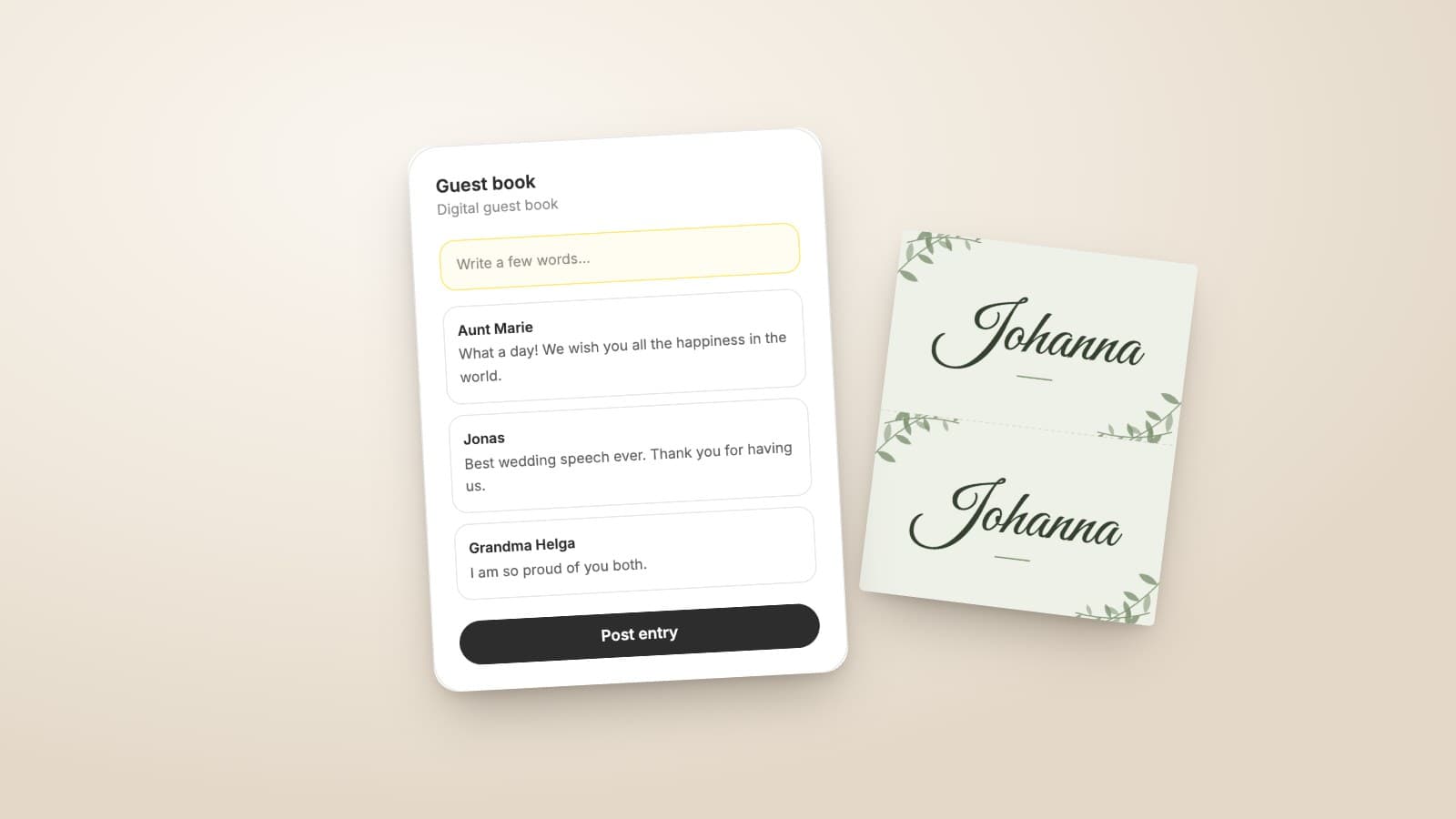
The guest book sits on a bar table next to the gifts, a pen beside it, and by the end of the night it holds twelve entries. The other guests never saw it, could not find the pen, or did not feel like writing something permanent after their third glass. A digital guest book does not solve that on its own, but it moves the place: guests write where they already are, which is on their phones.
This article explains what a digital guest book is, where it beats the paper book and where it does not, and how to use it so that you end up with more than twelve entries.
What a digital guest book is
At its core it is a page on the internet where guests leave a message. They reach it through a QR code or a link, type their text on the phone and send it. You read the entries on a screen afterwards, and with most providers you can download them.
The term covers three rather different things. Some guest books collect written text. Others record voice messages, often through an old telephone that guests speak into. Others again collect short video messages. Which form suits you depends on what you want to do with it later: text can be printed and set into a photo book, while sound and video stay files that someone has to play.
Paper or digital: what each does better
A paper book has something no screen replaces. Your grandmother's handwriting, your nephew's crooked drawing and the wine stain on page four are part of the memory. A book is still on the shelf in twenty years and needs neither power nor a password.
Its weaknesses lie in the celebration itself. It sits in a single place, and anyone who does not pass by writes nothing. Only one person can write at a time. And someone facing an empty page while another guest waits behind them writes "All the best" and moves on.
The digital guest book turns those points around. It is wherever a QR code stands, which means on every table. Everyone can write at the same time, even seated between two courses. Guests who could not come write from home through the link. And because nobody is watching, the messages often turn out longer and more personal.
What is missing is the handwriting, and the entries exist only as data at first. If you do not export or print them, at some point you have nothing in your hands. For many couples the honest answer is therefore both. More on that below.
How it works at the celebration
Access matters most. A guest book with its own QR code, next to a second code for the photos and a third for the playlist, is too much for any table. It works best when everything runs through one code that guests scan anyway.
That code belongs at the seat, not only at the entrance. On place cards or table numbers it stays in front of guests all evening, and the quiet minutes between starter and main course are exactly the moment when someone types a message.
A short announcement helps as well. If the maid of honour mentions it in her speech, or the DJ reminds everyone before dessert, most entries arrive in the ten minutes that follow. Without a prompt, the guest book remains a feature that only the curious discover.
How to get guests writing
The empty page is the same problem on a phone as on paper. A specific question helps more than asking for "a few words". Print one of these next to the QR code, or have it announced:
- What is your favourite memory of the two of us?
- What advice would you give us for the first year of marriage?
- Where should we travel together at least once?
- What should we still know about this day in ten years?
- Which song do you connect with us?
One question is enough. Five questions on a card look like a form, and nobody fills in forms at a party.
Give guests time, too. Entries do not have to be written on the night. Many people write the next morning on the train, or a week later while going through their photos. A sentence in your thank-you message with the link to the guest book often brings in as many entries again as the evening did.
The guest book in Snapveil
Snapveil is our own product, and the digital guest book is part of the photo gallery. Guests scan the same QR code they use to upload their photos, enter their name once and open the guest book in the gallery. They need neither an app nor an account.
Each guest can write up to three entries of up to 1,000 characters each. That is enough for a greeting on the night, a postscript the next day and an anecdote that only comes to mind later. New entries appear for everyone who has the guest book open, without reloading the page.
You read all entries in the dashboard, delete individual ones that do not belong there, and download the whole guest book as a CSV file with name, date and message. Guests can remove their own entries again. If a celebration should do without a guest book, you switch it off in the event settings.
The guest book is included in every plan, including the free one with 250 photos. What it does not do: it takes written text only. Voice messages and video messages are not part of it, and the entries cannot be styled either. If you are looking for an audio guest book with a telephone handset, you need a different provider.
After the celebration: keeping the entries
A digital guest book only becomes a keepsake once it exists outside the service where it was created. So download the entries while the event is still stored, and keep the file with your wedding photos.
It is at its best when words and pictures come back together. In a photo book, the messages can sit next to the photos of the people who wrote them. A CSV file opens in any spreadsheet, and from there you copy the texts into your photo book provider's software. If you want less effort, print the entries on good paper and put them in the box with the cards.
Combining both
Digital and paper do not rule each other out. A small book at the entrance for everyone who likes to write by hand, and the digital guest book on the tables for everyone else: that way you get your grandparents' handwriting and the long messages from friends who prefer to type.
The same QR code also collects the photos of the day. How that side works is explained on the page about QR code photo sharing.
In the end the medium is not what decides it. What decides it is that as many guests as possible leave something at all, and that works best where writing has no hurdle.
Frequently Asked Questions
Related Articles
DIY Wedding Place Cards: Format, Paper and Printing at Home
How to make wedding place cards yourself: which format and paper work, what belongs on the card, and how a guest list becomes a print-ready PDF.
Read article
Wedding Table Numbers: Size, Placement and a Free Printable Template
How large wedding table numbers need to be, where they stand and what else goes on the card. With a free template to print at home in A6 or A5.
Read article
Wedding Welcome Sign: Wording, Size and Printing
What belongs on a wedding welcome sign, which size works at the entrance and how to print it. With wording ideas and a free template in A4 and A3.
Read article